True Mirror: Magnifying Mirror
TAKA TECHNOLOGY VN CO., LTDBeauty
4.13.00 Reviews
- Version
- 1.0.7
- Installs
- 10.00K
- Age Rating
- Everyone
Screenshots
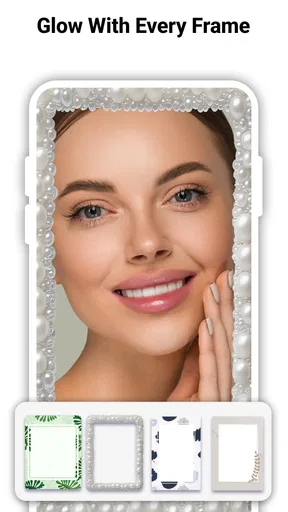
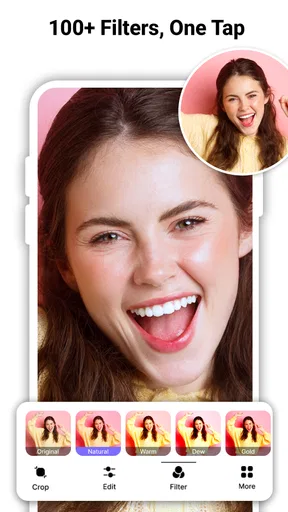
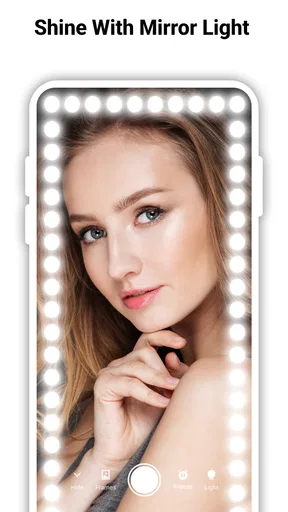
Our Review of True Mirror: Magnifying Mirror
 Analysis by Appyee
I like the idea behind True Mirror: Magnifying Mirror: it turns a phone into a more useful close-up mirror for quick grooming checks when carrying a separate one is inconvenient. Its appeal is practical rather than elaborate. Zoom and LED lighting can help with makeup or shaving, but a phone screen and camera still have limits, so I see it as a handy backup rather than a replacement for a proper vanity mirror.
What’s the Buzz About?
Alright, so we’ve all been there. You’re out and about, maybe at a dimly lit restaurant or on a road trip, and you need to check your makeup or fix that rogue eyelash. The front camera just doesn’t cut it. True Mirror: Magnifying Mirror claims to be the perfect solution by turning your device into a crystal-clear magnifying mirror. But does it really live up to the hype?
Getting Started and Everyday Fit
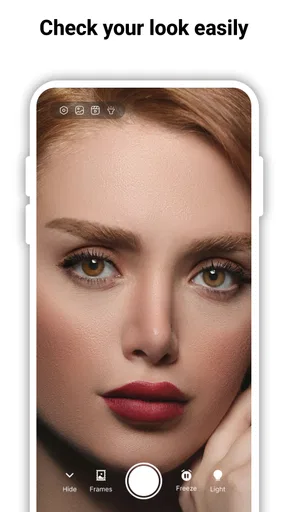
First things first, downloading the app was a breeze. It’s available for Android and iOS, so no one’s left out. Once installed, you’re greeted with a simple, user-friendly interface. No unnecessary frills, just a straightforward design focused on getting you that magnified view as quickly as possible.
On Android, it is listed as a free beauty app from TAKA TECHNOLOGY VN CO., LTD. It has a 4.1 average from around 22 ratings, with over 10,000 installs, and is marked for everyone. The current version is 1.0.7, released on May 10, 2025, and Android 7.0 is the minimum requirement. Those details make it easy to judge whether it fits an older phone and whether the app has a modest but real audience; they don’t tell me how it will behave on every device, so I’d still try the basic mirror function before relying on it for an important routine.
The main question is whether a phone mirror can be useful without becoming fiddly. For a quick check, the shortest route matters: open it, frame your face, adjust the view, and put the phone away. I’d keep the app somewhere easy to reach rather than buried in a folder, especially if I planned to use it before leaving home. A mirror tool is most helpful when it saves a few steps, not when finding its controls becomes another task.
Features That Shine
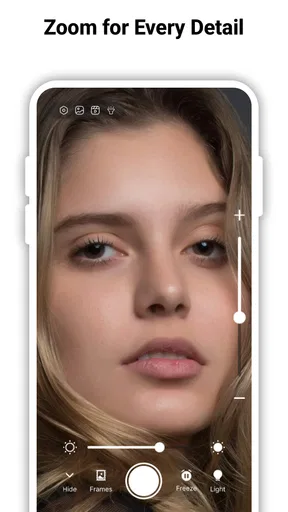
One of the standout features is the adjustable magnification. You can easily zoom in and out with a pinch, which is super handy when you need a closer look at those tiny details. The app also offers a brightness adjustment, so whether you’re in a dim setting or a brightly lit room, you can tweak the lighting to suit your needs.
The LED light is especially relevant when the room itself is not giving you enough illumination, but it is best treated as a way to see more clearly rather than a guarantee of accurate color. A bright phone light can make skin or makeup look different from how it will appear under daylight. For foundation, concealer, or lipstick matching, I’d use the mirror to check placement and edges, then make the final color judgment near a window or in the light where I’ll actually be seen.
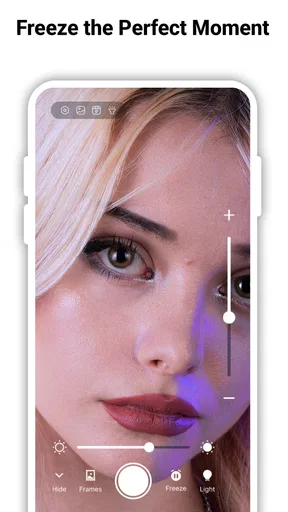
Another neat feature is the freeze frame option. You can pause the image to get a really good look without having to hold the phone steady. This is particularly useful for makeup application or even just checking if you have something in your eye.
Freezing a view also changes the workflow: it can help when I need to inspect a small area, but it is less useful if I need to see how a moving expression looks or check a larger area of hair. I’d use a still image for a close inspection, then return to the live view to see the overall result. That simple switch helps avoid spending too long perfecting one tiny detail while missing how everything looks together.
Real World Use
I took True Mirror: Magnifying Mirror for a spin during a day out. Whether it was touching up my lipstick or checking if my hair was in place, the app held up well. The magnification was clear, and the adjustable brightness was a lifesaver in varying lighting conditions.
A realistic use would be a quick lipstick check after lunch: find a seat with a little light, prop an elbow on the table to steady the phone, adjust the zoom just enough to see the lip line, and use the light only if the surroundings are too dim. That is more comfortable than holding the phone at full arm’s length and repeatedly pinching in and out. For shaving, I’d use it to inspect a missed patch, not to guide a blade while the phone is in the other hand; keeping both hands free and maintaining a safe, stable view is more important than magnification.
One thing that really stood out was the app’s ability to stay stable even at maximum zoom. There was minimal lag or distortion, which is a common issue with other similar apps. It felt like the developers really focused on ensuring a smooth experience.
As with any phone-based mirror, the image is only as steady as the hand holding the device, and extreme close-ups can make small movements feel larger. I’d avoid maximum zoom unless a detail genuinely calls for it. A lower setting usually gives a more useful sense of the whole area, while bracing the phone against a shelf or resting an elbow can make inspection easier. This is a practical trade-off: more magnification reveals detail, but a wider, steadier view is often better for grooming evenly.
Where a Phone Mirror Fits—and Where It Doesn’t
Compared with the usual alternatives, this app sits between a compact physical mirror and a phone’s ordinary camera preview. A small handheld mirror is dependable, works without opening an app, and is easier to use with both hands available, but it cannot zoom or add its own light. A standard camera preview is already on many phones, yet it may be awkward to frame and lacks the dedicated mirror-style controls described here. This app makes sense when its zoom and illumination are more useful than the simplicity of a physical mirror.
It is not the right choice for every beauty task. I would not rely on a screen to judge subtle shades, inspect skin under flattering lighting, or replace a large mirror for a full-face makeup routine. Nor would I expect magnification to compensate for a low-quality front camera, a smudged lens, or a shaky grip. If accurate color and broad, even lighting matter most, daylight and a regular mirror are the better tools; if I need a close look while travelling, the app is the more convenient one to have ready.
There is also a sensible privacy and comfort habit worth keeping: use the mirror when you have a moment to yourself and a stable place to stand or sit, rather than trying to inspect your face while walking. That is less about a special app setting and more about getting a usable image without distraction. A quick lens wipe before opening the mirror can also make a noticeable difference to clarity, particularly after the phone has been in a pocket or bag.
The Little Extras
True Mirror also includes some handy extras like a timer function, which is great if you want to set up a hands-free mirror session. Plus, the app doesn’t bombard you with ads, a refreshing change from many free apps out there. It's clear that the developers wanted to make sure users have a seamless experience.
Hands-free use is most helpful when the phone can be supported safely at face height, such as on a stable counter; a timer does not make an awkward or unstable setup practical. I’d test the framing before starting any grooming step, so I’m not reaching around to reposition the phone with product on my hands. That small bit of preparation is more useful than trying to improvise a stand in a cramped bathroom.
The app is free to download, but it also offers in-app purchases priced from $14.99 to $49.99 per item. I’d begin with the free experience and decide whether the core mirror already covers my needs before considering a purchase. The paid items may be relevant to people who want more from the app, but a basic need such as checking lipstick or seeing a shaving detail is a good reason to test the free version first. That approach keeps the decision grounded in actual use instead of paying before knowing whether the phone’s camera and screen suit the job.
Who I’d Recommend It To
I’d recommend it most to someone who already uses a phone for quick grooming checks and wants a closer view or extra light without packing another item. It should suit travellers, people who touch up makeup away from home, and anyone who occasionally needs to inspect a small detail in a dim room. It is also a reasonable choice for someone curious about a digital mirror but not ready to buy a dedicated illuminated one.
I’d skip it if I wanted a full-size mirror for a careful daily routine, if I regularly need dependable color matching, or if handling a phone while shaving would make me uncomfortable. Someone who already carries a compact mirror and is happy with it may not gain enough to justify adding another app. The best fit is a person who values portability and close inspection more than a wide, hands-free reflection.
Final Thoughts
So, is True Mirror: Magnifying Mirror worth the download? If you often find yourself needing a quick, reliable mirror on the go, I’d say absolutely. It’s straightforward, efficient, and genuinely useful. The app takes something as simple as a mirror and turns it into a versatile tool you didn’t know you needed.
Whether for daily makeup checks or occasional use, this app is a solid addition to your phone’s toolkit. It’s not just an app—it’s like having a pocket-sized beauty assistant ready whenever you need it.
My verdict is positive, with a clear caveat: treat it as a convenient close-up aid, not as a substitute for good natural light or a proper mirror. If that distinction matches what you need, the combination of zoom, LED illumination, and a simple mirror-focused interface is appealing. I’d install it for travel and quick touch-ups, try the free features first, and keep a regular mirror handy for anything where proportion, color, or a steady two-handed view matters most.
Verdict
Strengths of True Mirror: Magnifying Mirror
- High-quality magnification for detailed viewing.
- Intuitive user interface simplifies navigation.
- Adjustable brightness for various lighting conditions.
- No in-app purchases or ads for distraction-free use.
- Lightweight app with minimal storage requirements.
Limitations of True Mirror: Magnifying Mirror
- Limited to basic mirror functionality only.
- No option to save or export images.
- Requires camera access, affecting privacy.
- No customization options for interface aesthetics.
- May drain battery quickly on older devices.
Other Releases by TAKA TECHNOLOGY VN CO., LTD
View All
Broken Screen: Magic Wallpaper
Personalization4.1
Similar Picks in This Category
View All
Beauty Makeup Editor & Camera
Photo & Video Editors - Instant Solution4.7

Perfect365: Face Makeup Editor
Perfect365, Inc.3.5

Mirror Plus - HD Mirror app
Digitalchemy, LLC4.8

Cute Lock Screen & Wallpapers
Prometheus Interactive LLC4.6

HD Camera for Android
One Music Player4.5

Phone Mirror app - True Mirror
Cards4.6
Frequently Asked Questions
What is True Mirror: Magnifying Mirror, and what does it do?
True Mirror: Magnifying Mirror is a mobile application designed to transform your smartphone into a high-quality magnifying mirror. It uses your device's camera to provide a clear, zoomed-in reflection, making it easier to apply makeup, tweeze eyebrows, or inspect skin details. The app offers various magnification levels and lighting options to suit different needs.
Is True Mirror: Magnifying Mirror available for both Android and iOS devices?
Yes, True Mirror: Magnifying Mirror is available for download on both Android and iOS platforms. You can find it on the Google Play Store for Android devices and the Apple App Store for iOS devices. Ensure your device meets the minimum system requirements for optimal performance.
Does the app require an internet connection to function?
No, True Mirror: Magnifying Mirror does not require an internet connection to operate. The app works offline by using your device's camera and built-in features. However, you may need an internet connection for initial download and updates to access the latest features and improvements.
Are there any in-app purchases or advertisements in True Mirror: Magnifying Mirror?
True Mirror: Magnifying Mirror offers a free version with basic features, which may include ads. For an ad-free experience and access to premium features such as higher magnification levels and additional lighting options, you can opt for in-app purchases. Check the app's store page for detailed pricing information.
Is True Mirror: Magnifying Mirror safe to use, and does it collect personal data?
True Mirror: Magnifying Mirror prioritizes user privacy and security. The app only requires camera access to function and does not collect or store personal data. Always review the app's privacy policy and permissions before downloading to ensure it meets your privacy standards.
